Taking Back Control
Controller support, clearer tutorials and a little less interference from the night shift's least helpful employees.
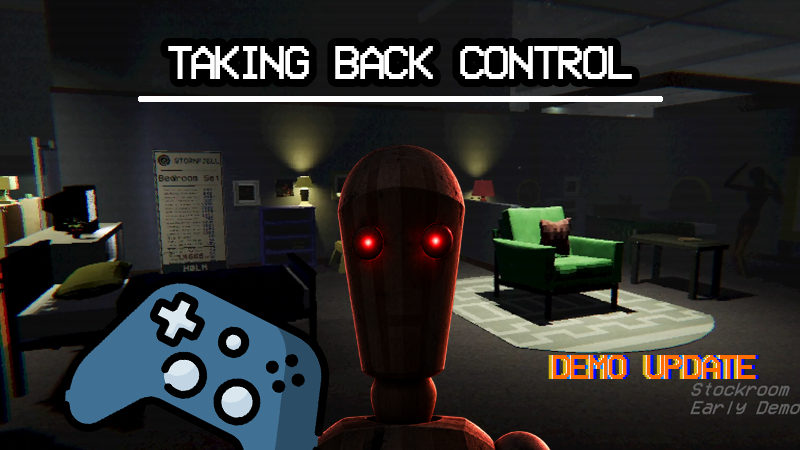
Controller support, clearer tutorials and a little less interference from the night shift's least helpful employees.
The night shift now supports controllers!
This has meant going through everything from navigating menus to peeling tape off boxes, turning screws and flicking through instruction booklets. You can switch between controller and keyboard and mouse as you play, with the on-screen prompts changing to match.
I've also spent quite a bit of time making the tutorials clearer and giving you better guidance when an assembly goes wrong. Being trapped in a haunted furniture shop is one thing. Being trapped in a tutorial because it doesn't like which table leg you've used is another.
Please take control of the situation
Controllers now work across gameplay and menus, including furniture assembly, inventory, instruction booklets and the shift briefing.
Focus mode has a controller cursor with assistance for selecting small targets, and you can move between nearby furniture connection points using directional controls. There are controller gestures for peeling tape, rotating screws and dragging booklet pages, alongside D-pad page turning.
Button prompts support Xbox, PlayStation, Nintendo Switch, Steam Deck and generic controller layouts. The game detects the controller style automatically, and you can choose a different prompt style in the settings.
Mouse and controller look sensitivity now have separate settings too. Controller Focus defaults to holding the button, with the option to change that in Control Settings. Existing saved Focus preferences are preserved.
Custom seed entry still needs a keyboard.
Some assembly assistance required
The tutorials now do a better job of recognising things you've already done. Collecting or delivering props before their lesson appears should count when you reach it, and the second tutorial's furniture boxes can be delivered in either order.
If your table isn't right, the instructions should now be more specific about why. Incorrect parts, colours, placement and extra pieces get clearer guidance and highlights, including help with removing or replacing things.
Empty screw holes are easier to spot in Focus mode, and the screw inventory gets a highlight when you're first learning to use it. The checklist also distinguishes more clearly between tasks you can do now, tasks that are waiting, and tasks you've finished.
The Tonttu's first theft in Tutorial 2 now brings up a brief reminder about the Lost Parts Bin instead of making you complete a separate recovery task.
He remains very pleased with himself.
A little breathing room
I've reduced mannequin density on Nights 2 and 3, and removed the Tonttu from Night 3. The third night keeps its compact layout, with a revised amount of department content.
Mannequin placement has also been adjusted to spread them around the store more evenly.
HØLM management hopes these changes will improve productivity. Any reduction in screaming is considered a welcome secondary benefit.
Changelog
Controllers and controls
-
Added controller support for gameplay and menu navigation.
-
Added automatic switching between controller and keyboard and mouse, with matching button prompts.
-
Added prompts for Xbox, PlayStation, Nintendo Switch, Steam Deck and generic controllers, with a manual style selection.
-
Added a Focus-mode controller cursor with assistance for selecting small targets.
-
Added controller interactions for peeling tape, turning screws and dragging instruction-booklet pages.
-
Added D-pad booklet page turning and navigation between booklets, inventory and furniture.
-
Added directional selection between nearby furniture connection points.
-
Improved controller rotation, zoom and held-object distance adjustment.
-
Made screw and connector placement consistently use hold, drag and release.
-
Enlarged screw-point indicators and improved the visibility of dragged screws and connectors.
-
Added separate mouse and controller look-sensitivity settings.
-
Renamed Remap Controls to Control Settings and moved Focus preferences there.
-
Set controller Focus to hold by default, preserving existing saved preferences.
Tutorials and interaction guidance
-
Improved guidance and highlights for incorrect or misplaced table parts.
-
Fixed early prop collection and delivery failing to count towards later lessons.
-
Allowed Tutorial 2's box deliveries to be completed in either order.
-
Improved table detection so the tutorial prioritises the correct assembly.
-
Added clearer prompts when screws need placing before tightening.
-
Made empty screw holes easier to see in Focus mode.
-
Added a first-use highlight to help players find their screw inventory.
-
Updated checklist colours and completion ticks to make task progress clearer.
-
Replaced Tutorial 2's stolen-part recovery task with a brief Lost Parts Bin reminder.
-
Added a sound cue when the Tonttu picks something up.
-
Made tutorial reminders pause during menus and interruptions, with health warnings taking priority.
-
Fixed skipping the box-pickup step leaving tutorial mannequins inactive.
-
Improved booklet, briefing and tutorial button prompts.
Night shifts and store navigation
-
Reduced mannequin density on Nights 2 and 3.
-
Removed the Tonttu from Night 3.
-
Revised Night 3's department content while keeping its compact store size.
-
Improved mannequin spawn distribution.
-
Restored map stands spawning beneath overhead signs.
Menus, interface and fixes
-
Clarified Custom Mode settings and improved their readability.
-
Improved controller menu navigation and selection highlighting.
-
Fixed calendar details not updating when selecting nights with a controller.
-
Fixed overlapping briefing highlights and lingering Start Shift prompts.
-
Prevented furniture interactions from activating behind menus.
-
Fixed mouse hover interfering with controller-selected achievement details.
-
Improved interaction-hint layout and booklet-hint visibility.
-
Corrected the end-of-night clipboard layout on 16:10 screens.
-
Fixed pause-menu positioning changing when toggling subtitles.
-
Fixed an error when returning to the main menu.
Thanks again to everyone who's been playing and sending feedback. Hopefully this makes getting to grips with the job a little easier, whichever controls you prefer.
The furniture still requires assembly. We've asked.